
Skip to content
Claude

Course · Intermediate · Claude pathway, stage 2 of 5

Claude Design
from brief to visual prototype

Write a design brief Claude can work from, build and refine layouts with your brand, check typography, hierarchy, accessibility and mobile layouts, and hand the work over through supported export options.

Platform
Claude
Level
Intermediate
Duration
1 day
Format
Live online
Dates & price
Sent when you register interest

See what you’ll create

Watch the work take shape.

Prepared examples of the exercises in this course. Each one shows the starting material, the AI-assisted step, the human review and the finished result you can open and read.

Main example · 58 seconds · narrated, sound off until you choose

A brief becomes a refined landing-page prototype

  1. Starting material A brief and brand references
  2. Instruction One offer, one action
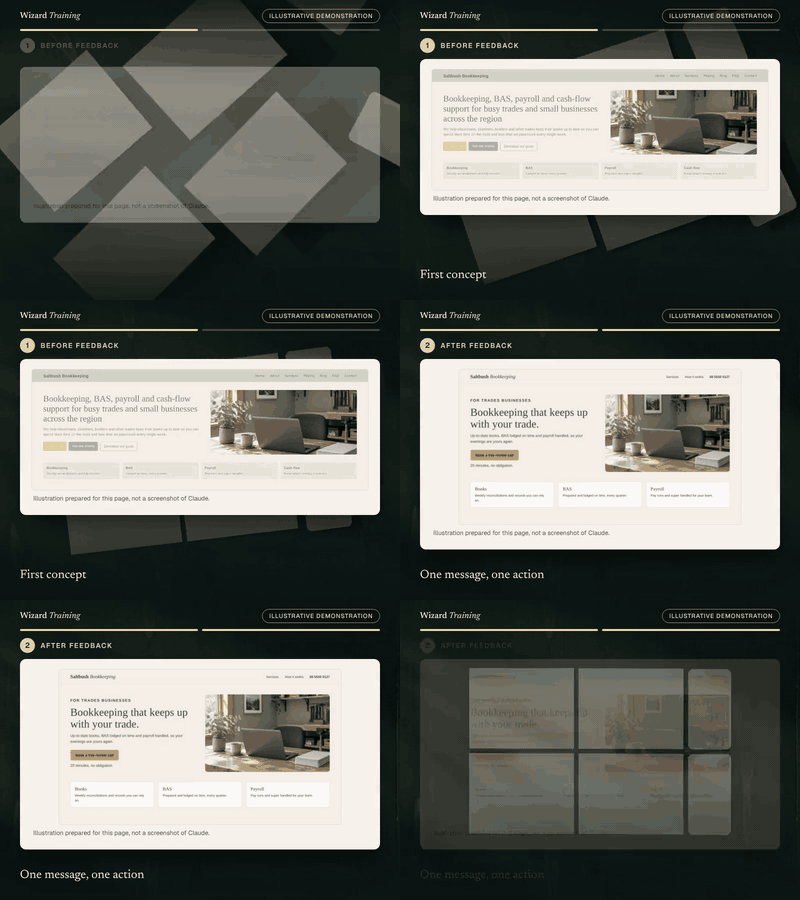
  3. First concept The first concept is crowded
  4. Feedback Focused feedback
  5. Refined layout One message, one action
  6. Mobile Checked on a phone
  7. Human review Type, contrast, alt text, mobile
  8. Finished work A prototype, not a live website

Read the transcript
  1. Starting material. This example starts with a one-page brief and brand references for a fictional bookkeeping business.
  2. Instruction. The learner asks for a landing-page prototype with one clear offer and one action.
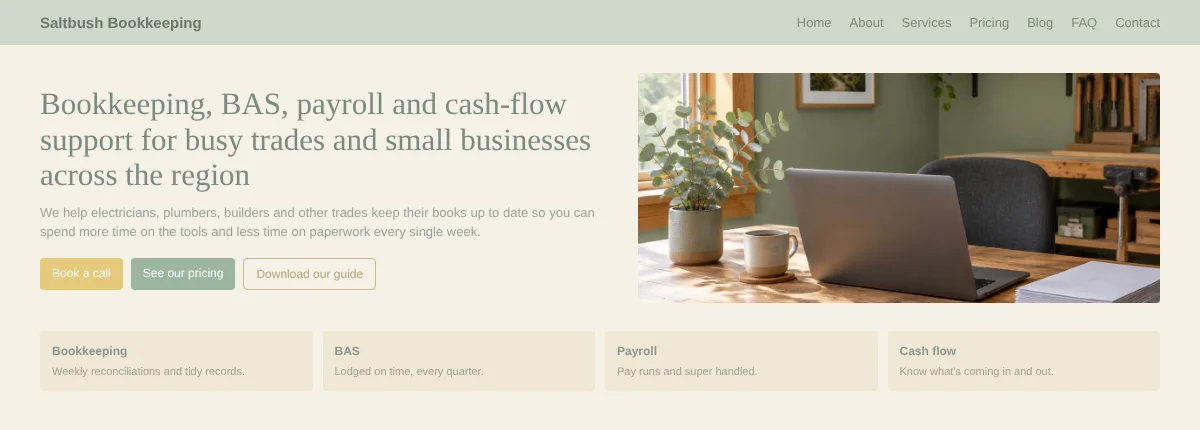
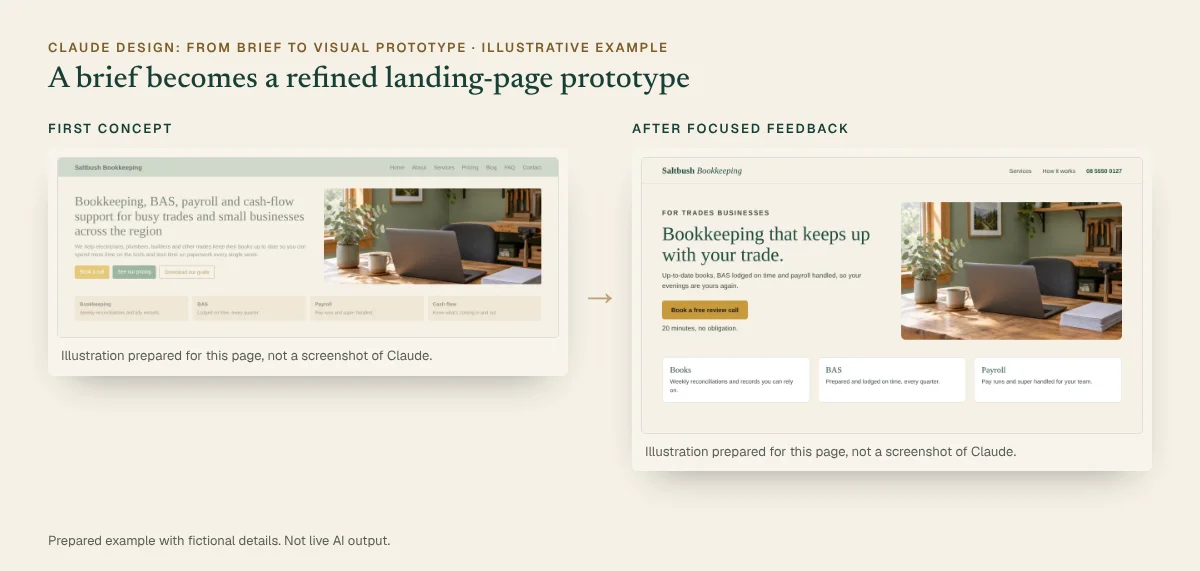
  3. First concept. The first concept is crowded: a long headline, three competing buttons and low contrast.
  4. Feedback. Focused feedback asks for a shorter headline, a single gold button and stronger contrast.
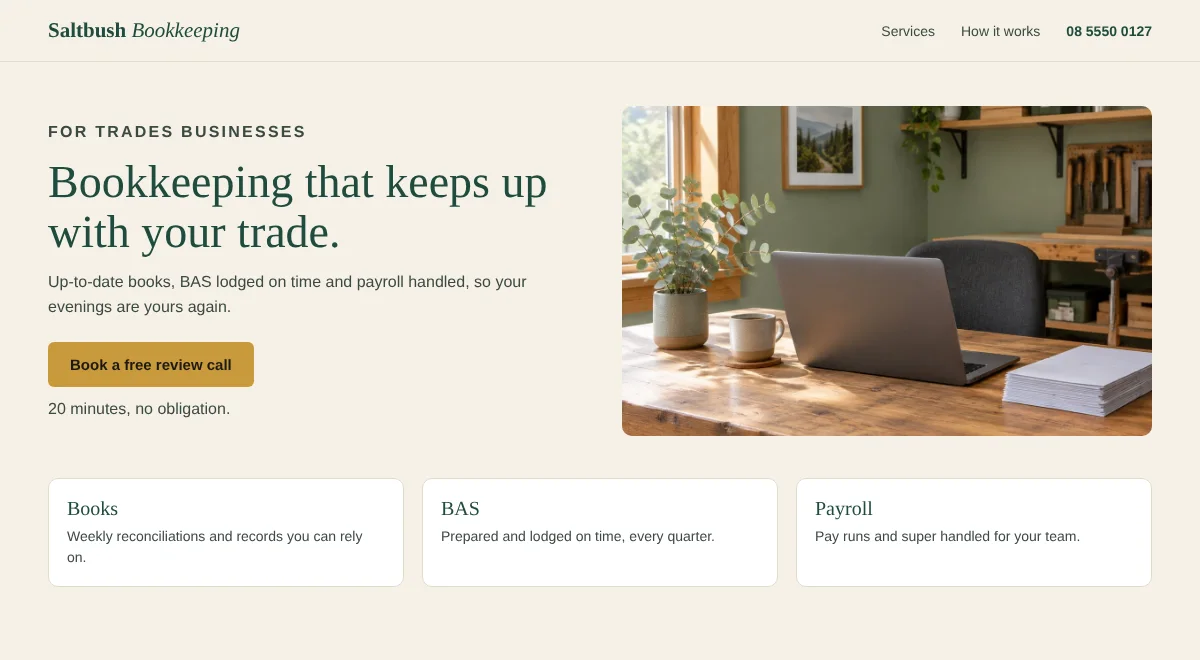
  5. Refined layout. The refined layout leads with one message and one action.
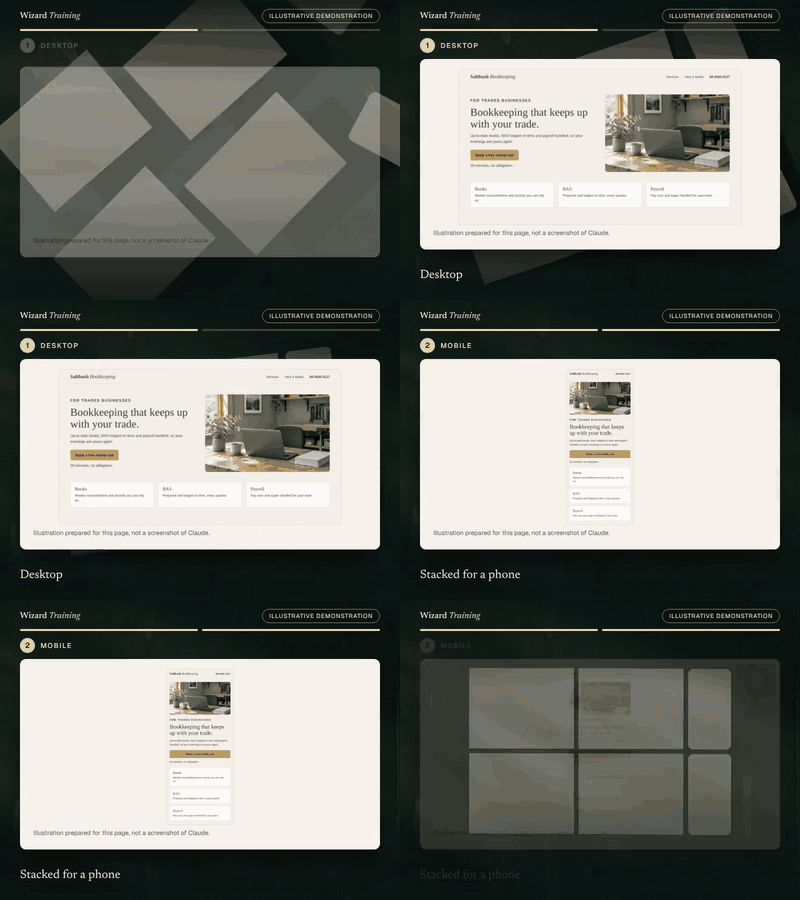
  6. Mobile. On a phone, the sections stack in a clear order and the button spans the screen.
  7. Human review. The learner checks typography, contrast, alt text and the mobile layout.
  8. Finished work. This is a prototype, not a live website. Final copy, a working form, hosting and testing still come before launch.

Prepared demonstration with fictional details. It is not a recording of Claude and not live AI output. Background footage was generated with Higgsfield and the narration uses a synthetic Higgsfield voice; the soft tones were synthesised separately. Every word, number and line of code on screen is rendered from the example below. Higgsfield is not part of the course.
Where it starts
A one-page brief for a fictional bookkeeping business, brand colours, a typeface and a reference photo.
What you practise
Writing the brief, refining layout, typography and hierarchy through focused feedback, and checking the mobile layout.
What the result contains
  • Desktop and mobile layouts in the brand colours and type
  • One headline, one offer, one action
  • A photo with alt text, contrast checked
  • A list of what remains before it could go live
What a person still checks
  • Every claim and price on the page
  • Contrast and text size on real devices
  • That everyone understands it is a prototype, not a live site

Short loops · silent, a few seconds each

A design changes after feedbackFirst concept. Then: One message, one action.GIF version (662 KB)
Desktop to mobileDesktop. Then: Stacked for a phone.GIF version (552 KB)

Still images · for a quick look or a static alternative

Before and after, illustrative: first concept beside the refined prototype. Full details are in the walkthrough below.
Before and after · static view
The completed example · select to read it in full

Inspect every step · pause, replay or show the completed state

You practise this in the course

A brief and brand references become a landing-page prototype

  1. Starting material

    Design brief

    • Landing page for trades businesses
    • Goal: book a free review call
    • Brand: eucalyptus, sand, one serif
    • Must work well on a phone
  2. Prompt or instruction

    Instruction

    Create a landing-page prototype for Saltbush Bookkeeping from this brief and the brand references attached. Lead with one clear offer and one action, and use the real headings from the brief, not placeholder text.

  3. AI-assisted work

    First concept: a crowded layout with a long headline and three competing buttons
    Illustration prepared for this page, not a screenshot of Claude.
  4. Human review

    • Headline shortened to seven words (Action needed)
    • One gold button, AA contrast (Checked)
    • Mobile sections stack in order (Checked)
    • Photo has alt text (Checked)
  5. Finished deliverable

    Refined prototype: short headline, one action, clear sections
    Illustration prepared for this page, not a screenshot of Claude.
You start with
A one-page brief for a fictional bookkeeping business, brand colours, a typeface and a reference photo.
What you practise
Writing the brief, refining layout, typography and hierarchy through focused feedback, and checking the mobile layout.
The finished output contains
  • Desktop and mobile layouts in the brand colours and type
  • One headline, one offer, one action
  • A photo with alt text, contrast checked
  • A list of what remains before it could go live
Still needs human checking
  • Every claim and price on the page
  • Contrast and text size on real devices
  • That everyone understands it is a prototype, not a live site
Related course
Claude Design: From Brief to Visual Prototype · Module: Layouts and prototypes · Review and feedback

Account note: Claude Design is a research preview from Anthropic Labs on Pro, Max, Team and Enterprise plans and is still rolling out.

Download the sample (PDF, 118 KB)

Prepared demonstration Prepared demonstrations with fictional names and figures. They show the kind of work practised, not live AI output, and your own results will depend on your material.

Who it's for

Marketers, designers, business owners and product teams who need landing pages, prototypes, slides or one-pagers without starting from a blank canvas.

Experience needed: Comfortable using Claude for everyday tasks. Design experience helps but is not required.

Problems it solves

If this sounds familiar

  • Ideas that stall before anyone can see them
  • Briefs that produce designs nobody asked for
  • Feedback rounds that go in circles
  • Prototypes mistaken for finished, working websites

Outcomes

By the end you can

  • Write a design brief Claude can work from
  • Apply brand colours, type and references consistently
  • Refine layout and hierarchy through focused feedback
  • Check typography, contrast, accessibility and mobile layouts
  • Export or hand over work through supported options
  • Explain what remains before a prototype becomes a live website

Modules

How the day runs

4 modules, taught live with hands-on practice in each. Select a module to see its topics.

  1. Briefs and brand references
  2. Layouts and prototypes
  3. Review and feedback
  4. Export and handover

1Briefs and brand references

4 topics
  • Writing a design brief: audience, goal, content and constraints
  • Supplying brand colours, type, logos and examples
  • Using an existing design system or website as a reference
  • What to leave out of a brief

2Layouts and prototypes

4 topics
  • Generating first concepts and choosing a direction
  • Refining layout, spacing and hierarchy
  • Prototypes, slides, one-pagers and social assets
  • Working from real content, not placeholder text

3Review and feedback

4 topics
  • Typography, contrast and visual hierarchy
  • Accessibility basics: contrast, alt text and focus order
  • Checking mobile layouts
  • Focused feedback: comments, direct edits and adjustments

4Export and handover

4 topics
  • Export options: PDF, PPTX, Canva and standalone HTML
  • Handing a design to developers, including through Claude Code
  • What a prototype is not: hosting, forms, analytics and testing
  • A handover checklist

Practical exercises

What you practise

  1. Exercise 1

    Write the brief

    Write a landing-page brief for a fictional business with audience, goal, content and brand references.

  2. Exercise 2

    First concept to refined layout

    Generate a first concept, then improve layout, typography and hierarchy through focused feedback.

  3. Exercise 3

    Mobile and accessibility review

    Check the design on a small screen and against basic accessibility, then fix what you find.

  4. Exercise 4

    Supporting asset and handover

    Create a matching social graphic and export the work with a handover note.

What you will create

Real work, finished during the session

Sample previews · illustrative content, not final course material · Watch examples take shape

PrototypeLanding-page prototype
Sections
Hero, services, proof, enquiry
Checked
Contrast, hierarchy, mobile
Status
Prototype, not a live site

A branded page design for desktop and mobile, refined through two rounds of feedback.

AssetSocial graphic
Sizes
Square and landscape
Brand
Same colours and type
Check
Text readable at small size

A supporting visual in the same brand, sized for two channels.

ChecklistHandover checklist
Content
Final copy and images approved
Build
Forms, hosting, analytics
Test
Accessibility and devices

What a developer or web team needs before the design goes live.

You leave with

  • A branded landing-page prototype, desktop and mobile
  • A matching social graphic
  • A design brief template
  • A design review and handover checklist

Platform and delivery

Where you learn

Claude

Taught on Claude. One day, live online. Register interest for the next dates and the price. This course is stage 2 of the Claude learning pathway. About Claude training

Requirements

Before you come

Account

A Claude plan with access to Claude Design, a research preview from Anthropic Labs for Pro, Max, Team and Enterprise plans that is still rolling out. On Team and Enterprise plans an administrator may need to enable it. Bring brand assets you are allowed to share, or use the fictional brand we provide.

Equipment

A laptop with a current browser, plus a short brief and any brand references you are allowed to share. We can provide a fictional brief.

Experience

Comfortable using Claude for everyday tasks. Design experience helps but is not required.

Data

Use only non-confidential material in exercises. We show you how to check your organisation's AI policy and what not to paste into an assistant.

Dates and pricing

How to book

Public sessions

Register interest and we'll email you the next available dates, session times and the price. Nothing is booked until you confirm.

Register interest

Private team sessions

Teams of six or more can book a private session, with exercises adapted to your own work and tools.

About team training

Questions

Before you register

Is Claude Design available on my plan?

Claude Design is a research preview from Anthropic Labs for Pro, Max, Team and Enterprise plans and is still rolling out. On Team and Enterprise plans an administrator may need to enable it. We check access with you before the session.

Will I finish with a working website?

No. You finish with a prototype: a realistic visual of the page. Making it a live site still needs final content, working forms, hosting, accessibility testing and analytics decisions, which the handover checklist covers.

Do I need design experience?

No. The course covers the design basics you need to give useful feedback. Designers will find the brief, review and handover techniques useful too.

Can I use my own brand?

Yes, if you are allowed to share the assets. Otherwise you work with the fictional brand we provide.

How long is the course?

One day, live online. Register interest and we’ll email you the next available dates and the price.

Claude DesignRegister interest

Finished example · prepared demonstration

A brief and brand references become a landing-page prototype

You practise this in the course

Refined landing-page prototype, desktop: headline “Bookkeeping that keeps up with your trade”, one Book a free review button, three service cards
The same prototype on a phone: sections stacked, button full width

What remains before this could be a live website

  • Final copy, pricing and claims approved by the business
  • A working enquiry form connected to a real inbox
  • Hosting, domain, privacy and analytics decisions
  • Accessibility testing on real devices
  • A developer build or a supported export, then testing

Fictional names and figures. Prepared to show the kind of output, not live AI output.

Finished example · prepared demonstration

The approved style becomes a matching social graphic

You practise this in the course

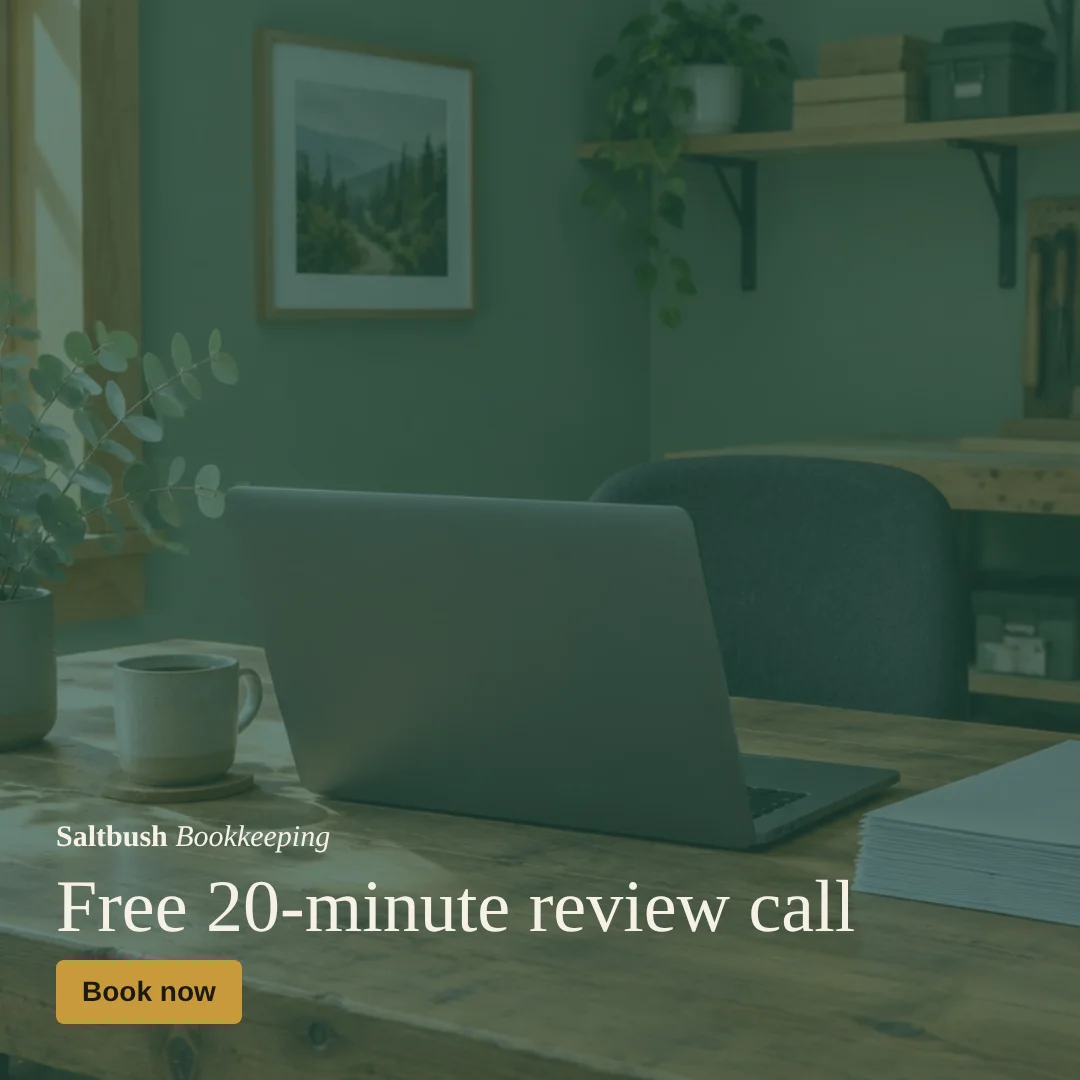
Square social graphic for Saltbush Bookkeeping: Free 20-minute review call, Book now
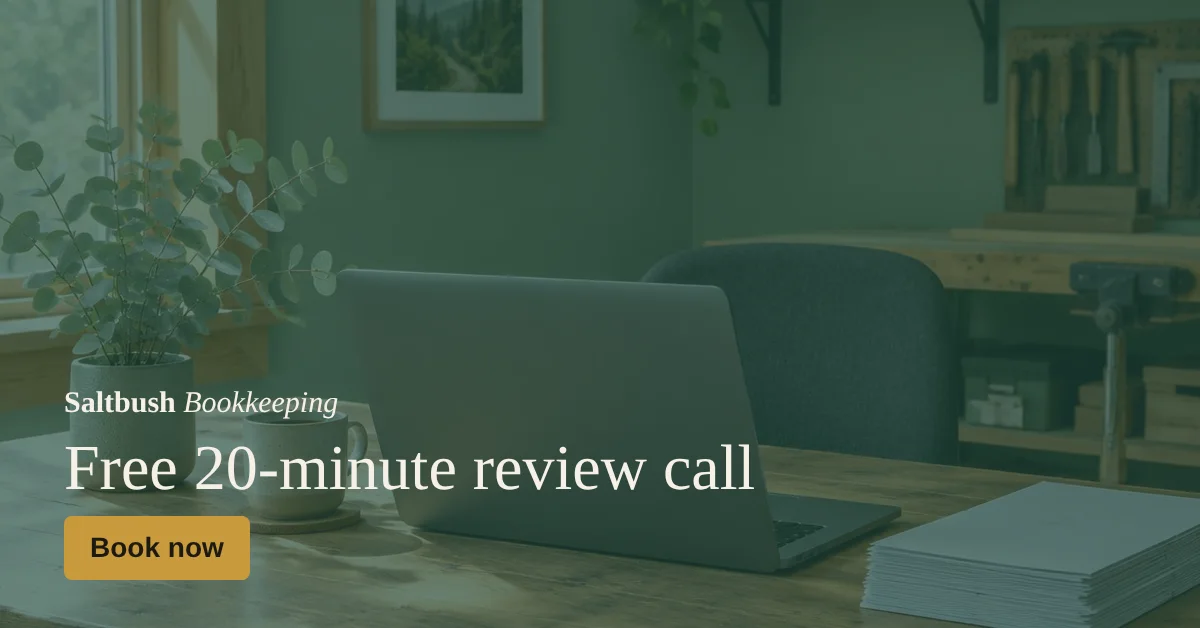
Landscape version for a link preview or banner

Exported for each channel through a supported option, such as PDF or an image export via Canva.

Fictional names and figures. Prepared to show the kind of output, not live AI output.