
Skip to content
Claude

Course · Advanced · Claude pathway, stage 4 of 5

Claude MCP
connect and configure

Understand how the Model Context Protocol links Claude to tools and data, configure local and remote connections where supported, test them safely and document what each one is allowed to do.

Platform
Claude
Level
Advanced
Duration
1 day
Format
Live online
Dates & price
Sent when you register interest

See what you’ll create

Watch the work take shape.

Prepared examples of the exercises in this course. Each one shows the starting material, the AI-assisted step, the human review and the finished result you can open and read.

Main example · 46 seconds · narrated, sound off until you choose

Configure, test, fix and document an MCP server

  1. Starting material An approved demonstration server
  2. Configuration Added to the desktop app configuration
  3. How it connects Host, client, server, data
  4. Read-only test The first test fails
  5. Fix and retest Key set locally, test passes
  6. Finished work A permissions record

Read the transcript
  1. Starting material. This example uses an approved demonstration server with two read-only tools over sample order data.
  2. Configuration. The server is added to the Claude desktop app configuration. The API key stays in the local environment, not in shared files.
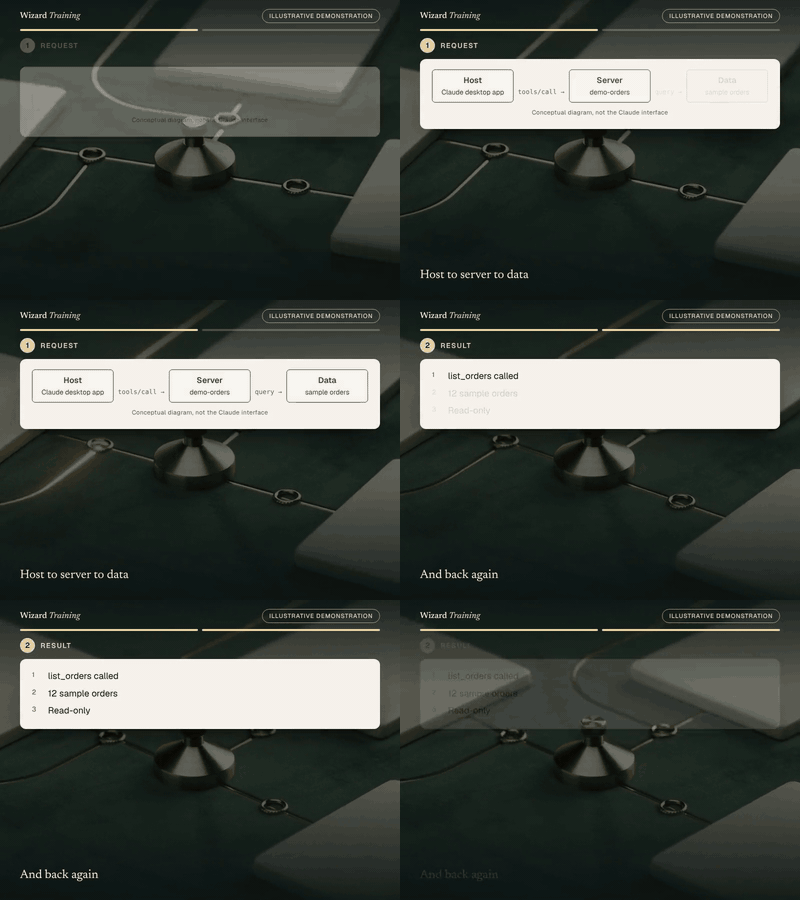
  3. How it connects. The desktop app hosts the client, which talks to the server, which reads the sample data.
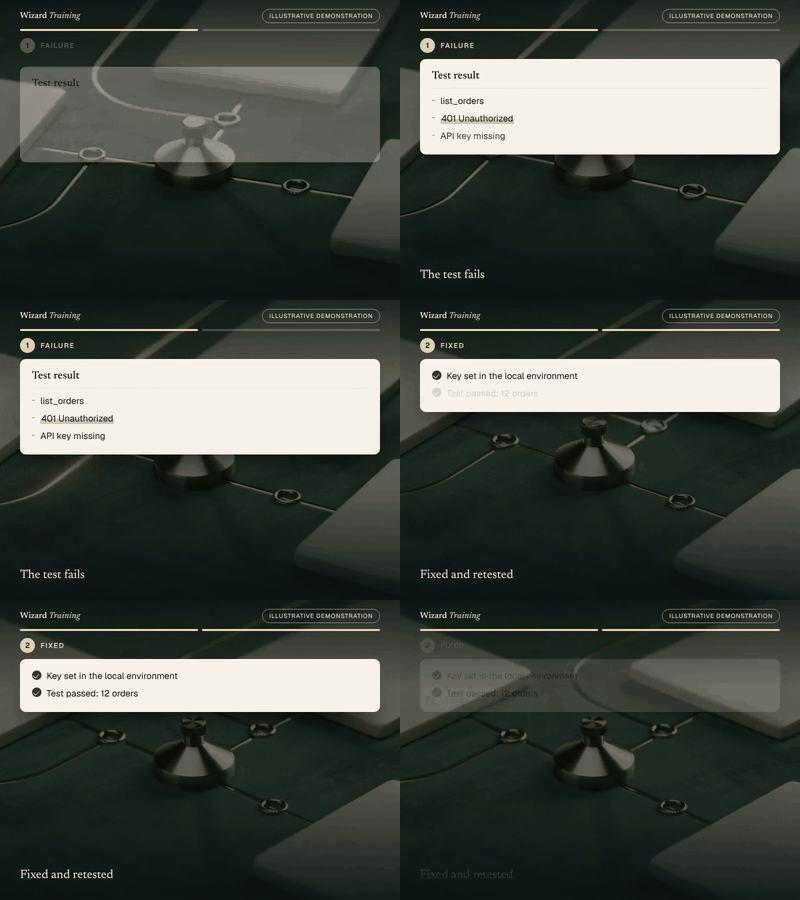
  4. Read-only test. The first read-only test fails with a four-oh-one: the API key is missing.
  5. Fix and retest. The key is set in the server’s local environment, and the same test now returns twelve sample orders.
  6. Finished work. Finally, the learner records the tools, the data, the limits, the owner and a review date.

Prepared demonstration with fictional details. It is not a recording of Claude and not live AI output. Background footage was generated with Higgsfield and the narration uses a synthetic Higgsfield voice; the soft tones were synthesised separately. Every word, number and line of code on screen is rendered from the example below. Higgsfield is not part of the course.

Where it starts
An approved demonstration server with two read-only tools over sample order data.
What you practise
Adding a server to the Claude desktop configuration, running a read-only test, diagnosing an access failure and writing the permissions record.
What the result contains
  • A working configuration with no secrets in shared files
  • A test log: success, failure and fix
  • A permissions record: tools, data, limits, owner, review date
What a person still checks
  • Where the API key is stored
  • That only read tools are enabled
  • The owner and review date with the business

Short loops · silent, a few seconds each

How a request travelsHost to server to data. Then: And back again.GIF version (1139 KB)
An access failure and its fixThe test fails. Then: Fixed and retested.GIF version (1092 KB)

Still images · for a quick look or a static alternative

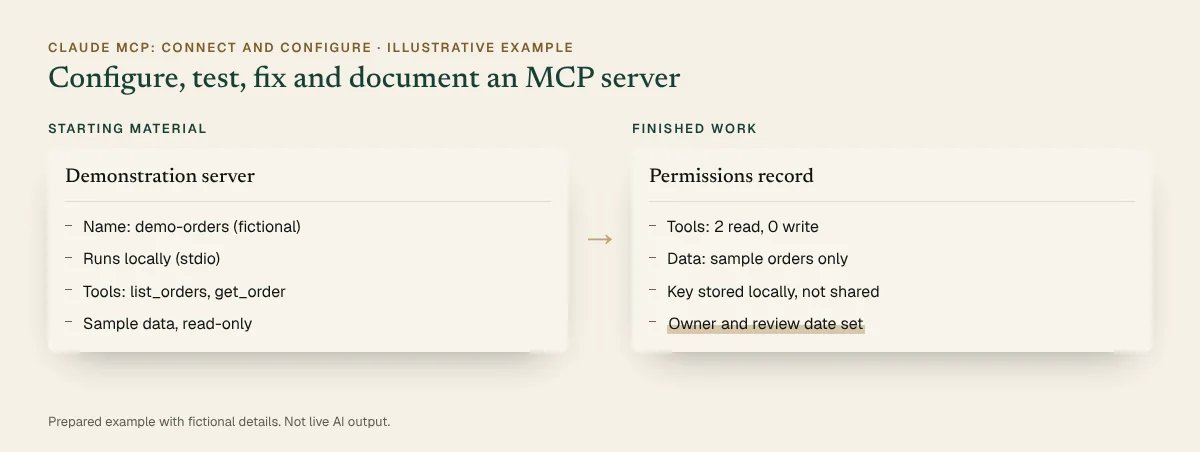
Before and after, illustrative: An approved demonstration server beside the finished work. Full details are in the walkthrough below.
Before and after · static view
The completed example · select to read it in full

Inspect every step · pause, replay or show the completed state

You practise this in the course

A demonstration MCP server is configured, tested, fixed and documented

  1. Starting material

    Demonstration server

    • Name: demo-orders (fictional)
    • Runs locally (stdio)
    • Tools: list_orders, get_order
    • Sample data, read-only
  2. Instruction

    Instruction

    Configure the demo-orders server in the Claude desktop app, confirm its two read-only tools appear, run a test query, and record the server’s permissions, limitations and owner.

  3. Configuration

    claude_desktop_config.json

    {
      "mcpServers": {
        "demo-orders": {
          "command": "uv",
          "args": ["--directory", "/path/to/demo-orders",
                   "run", "server.py"],
          "env": { "DEMO_API_KEY": "set locally, never shared" }
        }
      }
    }
  4. Testing and review

    • Tools listed: list_orders, get_order (Checked)
    • First test: 401, API key missing (Action needed)
    • Key set in the local environment: test passed (Checked)
  5. Finished record

    Permissions record

    • Tools: 2 read, 0 write
    • Data: sample orders only
    • Key stored locally, not shared
    • Owner and review date set
You start with
An approved demonstration server with two read-only tools over sample order data.
What you practise
Adding a server to the Claude desktop configuration, running a read-only test, diagnosing an access failure and writing the permissions record.
The finished output contains
  • A working configuration with no secrets in shared files
  • A test log: success, failure and fix
  • A permissions record: tools, data, limits, owner, review date
Still needs human checking
  • Where the API key is stored
  • That only read tools are enabled
  • The owner and review date with the business
Related course
Claude MCP: Connect and Configure · Module: Configuration and authentication · Testing and troubleshooting

Account note: In the course you use your own Claude desktop app and a test server you are permitted to run. File locations follow the official MCP documentation.

Download the sample (PDF, 29 KB)

Prepared demonstration Prepared demonstrations with fictional names and figures. They show the kind of work practised, not live AI output, and your own results will depend on your material.

Who it's for

Technically confident users, IT teams and automation specialists responsible for connecting Claude to internal or third-party systems.

Experience needed: Comfortable with the command line, editing JSON configuration files and installing software, with a basic understanding of APIs and authentication (API keys and OAuth). No programming required.

Problems it solves

If this sounds familiar

  • Connections set up once and never documented
  • Servers installed without checking who wrote them
  • Access problems that are hard to diagnose
  • More access granted than a task needs

Outcomes

By the end you can

  • Explain MCP and how it relates to Claude connectors
  • Identify hosts, clients, servers and capabilities
  • Configure local and remote connections where supported
  • Set up authentication without exposing credentials
  • Test, diagnose and fix common connection problems
  • Evaluate server trust and limit access to what a task needs

Modules

How the day runs

4 modules, taught live with hands-on practice in each. Select a module to see its topics.

  1. How MCP fits together
  2. Configuration and authentication
  3. Testing and troubleshooting
  4. Trust and access control

1How MCP fits together

4 topics
  • The Model Context Protocol and how Claude connectors use it
  • Hosts, clients and servers
  • Server capabilities: tools, resources and prompts
  • Local (stdio) and remote (Streamable HTTP) connections

2Configuration and authentication

4 topics
  • Adding a local server to the Claude desktop app configuration
  • Adding a remote server as a custom connector
  • Authentication: API keys and OAuth sign-in
  • Keeping secrets out of shared files

3Testing and troubleshooting

4 topics
  • A read-only first test
  • Reading tool lists and responses
  • Common failures: wrong path, missing runtime, expired sign-in, denied access
  • Using logs and the MCP Inspector

4Trust and access control

4 topics
  • Evaluating a server’s source, maintainer and permissions
  • Least privilege: limiting tools and scopes
  • Approval settings for tools that change data
  • Documenting permissions, limitations and owners

Practical exercises

What you practise

  1. Exercise 1

    Map the connection

    Draw the host, client, server, tools and data source for a sample integration.

  2. Exercise 2

    Configure a test server

    Add a test MCP server you are permitted to run, such as one of the official reference servers, and confirm its tools appear.

  3. Exercise 3

    Test read-only, then break it

    Run a read-only query, then work through an access failure and fix it.

  4. Exercise 4

    Write the permissions record

    Document what the server can do, its limitations, its owner and when to review it.

What you will create

Real work, finished during the session

Sample previews · illustrative content, not final course material · Watch examples take shape

RecordPermissions record
Tools
Two read, none write
Scope
One sample dataset
Review
Owner and date set

What a connected server can do, who owns it and when it is reviewed.

ChecklistServer trust checklist
Source
Maintainer and repository
Access
Scopes requested
Data
Where it goes

Questions to answer before any server is approved.

RunbookTroubleshooting runbook
Not listed
Config path or JSON error
Denied
Token or scope
Timeout
Runtime or network

Symptoms, likely causes and fixes for common connection failures.

You leave with

  • A configured, tested MCP connection
  • A permissions and limitations record
  • A server trust checklist
  • A troubleshooting runbook

Platform and delivery

Where you learn

Claude

Taught on Claude. One day, live online. Register interest for the next dates and the price. This course is stage 4 of the Claude learning pathway. About Claude training

Requirements

Before you come

Account

A Claude plan that allows custom connectors: they are limited on free accounts, and on Team and Enterprise plans an organisation owner adds them. The Claude desktop app for local servers, on a computer where you can install software, plus Node.js 20 or later or Python 3.10 or later to run a test server. You use your own accounts, so check with your IT team first if your computer or Claude plan is managed.

Equipment

A computer where you can install the Claude desktop app and run a small local test server. Check with your IT team first if your computer is managed.

Experience

Comfortable with the command line, editing JSON configuration files and installing software, with a basic understanding of APIs and authentication (API keys and OAuth). No programming required.

Data

Use only non-confidential material in exercises. We show you how to check your organisation's AI policy and what not to paste into an assistant.

Dates and pricing

How to book

Public sessions

Register interest and we'll email you the next available dates, session times and the price. Nothing is booked until you confirm.

Register interest

Private team sessions

Teams of six or more can book a private session, with exercises adapted to your own work and tools.

About team training

Questions

Before you register

Do I need to be a developer?

No, but you should be comfortable with the command line, JSON configuration files and installing software. Building your own server is covered in Building MCP Integrations for Claude.

Which version of MCP does the course use?

The current published specification and official documentation at the time of the course. We point out recent changes that affect configuration and authentication.

Will we connect production systems?

No. You use your own accounts with a test server and non-confidential sample data, never production systems or customer data.

Which plan do I need?

A plan that allows custom connectors; on Team and Enterprise plans an organisation owner adds them. Local servers need the Claude desktop app.

How long is the course?

One day, live online. Register interest and we’ll email you the next available dates and the price.

Claude MCP: ConfigureRegister interest

Finished example · prepared demonstration

A demonstration MCP server is configured, tested, fixed and documented

You practise this in the course

claude_desktop_config.json
{
  "mcpServers": {
    "demo-orders": {
      "command": "uv",
      "args": ["--directory", "/path/to/demo-orders",
               "run", "server.py"],
      "env": { "DEMO_API_KEY": "set locally, never shared" }
    }
  }
}

Test log

TestResultAction
Tools listedlist_orders, get_order–
“List last week’s orders”401 Unauthorized: API key missingKey added to the server environment locally
Same query again12 sample orders returnedPassed

Permissions record

ItemValue
Toolslist_orders, get_order (read-only)
DataFictional sample orders
LimitationsNo write tools; no customer contact details
OwnerNamed IT owner
ReviewQuarterly

Fictional names and figures. Prepared to show the kind of output, not live AI output.

Finished example · prepared demonstration

A community server is assessed before anyone connects it

You practise this in the course

QuestionFinding
Who maintains it?One individual; active in the last month
What can it read?Records and files in the configured folder
What can it change?update_record and delete_file
Where does data go?Not stated in the README

Decision

  • Pilot with read tools only; write tools disabled
  • Confirm the data flow with the maintainer first
  • Review after 30 days

Fictional names and figures. Prepared to show the kind of output, not live AI output.