
Skip to content
Claude

Course · Advanced · Claude pathway, stage 3 of 5

Claude skills
and reusable workflows

Learn when to use instructions, Projects, skills, plugins or connectors, then package a repeatable task with templates and examples, test it on different inputs and share it where your plan supports it.

Platform
Claude
Level
Advanced
Duration
1 day
Format
Live online
Dates & price
Sent when you register interest

See what you’ll create

Watch the work take shape.

Prepared examples of the exercises in this course. Each one shows the starting material, the AI-assisted step, the human review and the finished result you can open and read.

Main example · 36 seconds · narrated, sound off until you choose

Three inputs, one skill, consistent results

  1. Starting material Three teams, three layouts
  2. The method One method, packaged as a skill
  3. Work in progress Every input, the same steps
  4. Outputs Consistent, with one exception
  5. Human review A person handles the exception
  6. Finished work Skill improved: v1.1

Read the transcript
  1. Starting material. Three teams send their September figures, each in a different layout.
  2. The method. The method is packaged once, as a skill with clear steps and a template.
  3. Work in progress. Each input passes through the same steps.
  4. Outputs. Sales and Support come out in the same structure. Operations is flagged.
  5. Human review. July’s data is missing, so the skill stops and flags it for a person instead of guessing.
  6. Finished work. The learner adds that rule to the skill, so the next run handles it the same way.

Prepared demonstration with fictional details. It is not a recording of Claude and not live AI output. Background footage was generated with Higgsfield and the narration uses a synthetic Higgsfield voice; the soft tones were synthesised separately. Every word, number and line of code on screen is rendered from the example below. Higgsfield is not part of the course.

Where it starts
September figures from three teams, each in a different layout, and one with a month missing.
What you practise
Packaging a method as a skill, running it on different inputs, comparing the outputs and adding a rule for the exception.
What the result contains
  • Three summaries with the same structure
  • One input flagged for a person, not guessed
  • An updated skill with the new rule
What a person still checks
  • Figures in each summary against its source
  • Every flagged exception
  • That the skill’s description triggers it at the right time

Short loops · silent, a few seconds each

Three inputs, consistent outputsThree different layouts. Then: One structure.GIF version (979 KB)
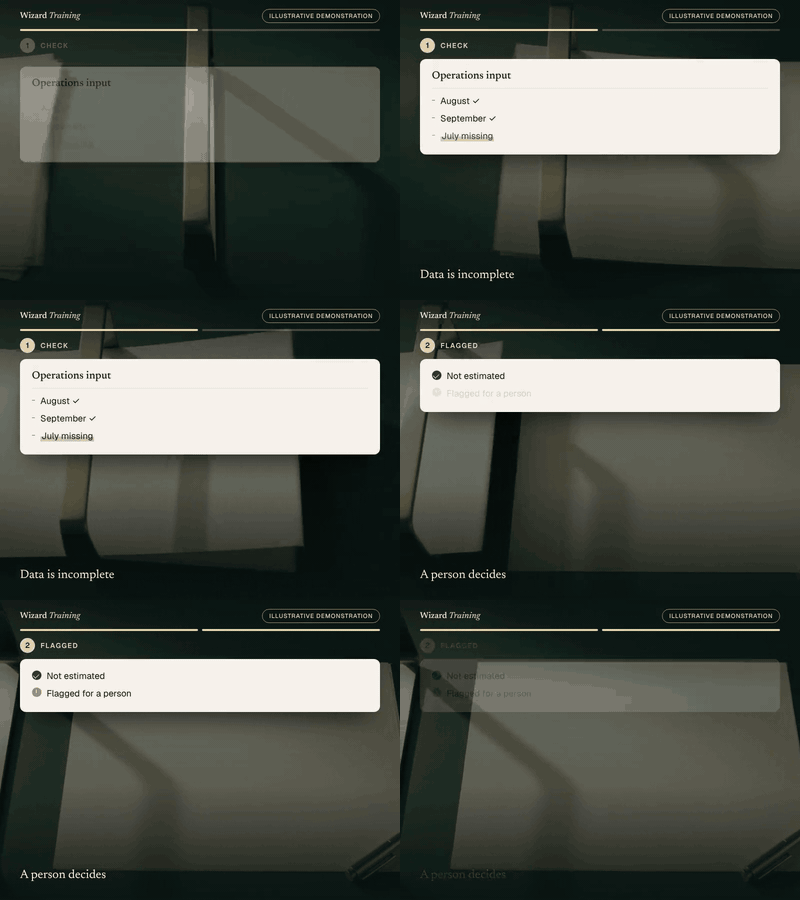
An exception goes to a personData is incomplete. Then: A person decides.GIF version (1018 KB)

Still images · for a quick look or a static alternative

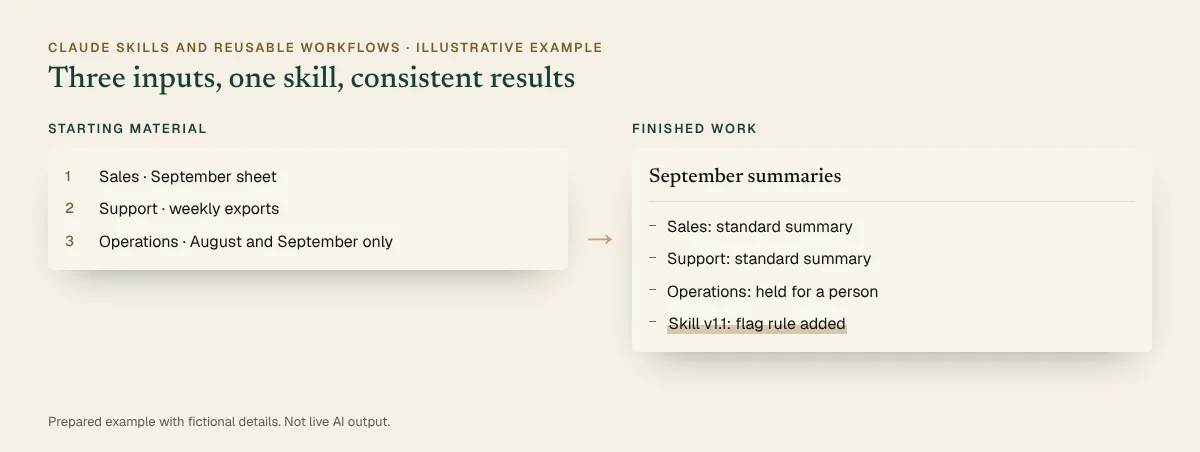
Before and after, illustrative: Three teams, three layouts beside the finished work. Full details are in the walkthrough below.
Before and after · static view
The completed example · select to read it in full

Inspect every step · pause, replay or show the completed state

You practise this in the course

Three different inputs pass through one skill and come out consistent

  1. Starting material

    1. Sales · September sheet
    2. Support · weekly exports
    3. Operations · August and September only
  2. Instruction

    Instruction

    Use the monthly-team-summary skill on each of these three teams’ figures and produce their September summaries.

  3. The skill

    SKILL.md

    ---
    name: monthly-team-summary
    description: Turns a team's monthly figures into the
      standard one-page summary. Use when asked for a
      monthly team summary.
    ---
    1. Check the figures cover the whole month.
    2. Summarise changes over 5%, with the cause if given.
    3. Lay it out using template.md.
    4. If any data is missing, stop and flag it for a person.
  4. Human review

    • Sales and Support: same structure (Checked)
    • Operations: July data missing, flagged (Action needed)
    • Tone and length consistent (Checked)
  5. Result

    September summaries

    • Sales: standard summary
    • Support: standard summary
    • Operations: held for a person
    • Skill v1.1: flag rule added
You start with
September figures from three teams, each in a different layout, and one with a month missing.
What you practise
Packaging a method as a skill, running it on different inputs, comparing the outputs and adding a rule for the exception.
The finished output contains
  • Three summaries with the same structure
  • One input flagged for a person, not guessed
  • An updated skill with the new rule
Still needs human checking
  • Figures in each summary against its source
  • Every flagged exception
  • That the skill’s description triggers it at the right time
Related course
Claude Skills and Reusable Workflows · Module: Packaging a method · Testing for consistency

Account note: Skills need code execution turned on. Sharing a skill across an organisation depends on your plan.

Download the sample (PDF, 25 KB)

Prepared demonstration Prepared demonstrations with fictional names and figures. They show the kind of work practised, not live AI output, and your own results will depend on your material.

Who it's for

Experienced Claude users, team champions and workflow owners who want consistent results from tasks their team repeats.

Experience needed: Regular use of Claude, including Projects. Comfortable editing text files; no programming required.

Problems it solves

If this sounds familiar

  • Repeating the same long instructions every week
  • Results that vary depending on who asks
  • Methods that live in one person’s prompts
  • Not knowing whether you need a skill, a Project or an integration

Outcomes

By the end you can

  • Distinguish instructions, Projects, skills, plugins and connectors
  • Identify tasks worth packaging
  • Write a skill with clear steps, templates and examples
  • Test for consistency across different inputs
  • Build in review for exceptions
  • Maintain and share workflows where supported

Modules

How the day runs

4 modules, taught live with hands-on practice in each. Select a module to see its topics.

  1. Choosing the right building block
  2. Packaging a method
  3. Testing for consistency
  4. Maintaining and sharing

1Choosing the right building block

4 topics
  • Custom instructions, Projects, skills, plugins and connectors compared
  • What a skill is: instructions, resources and optional scripts in a folder
  • When a connector or custom integration is needed instead
  • Finding tasks worth packaging

2Packaging a method

4 topics
  • Writing the SKILL.md: name, description and steps
  • Adding templates, examples and reference files
  • Writing a description so Claude uses the skill at the right time
  • Keeping skills short, focused and safe

3Testing for consistency

4 topics
  • Running one skill on different inputs
  • Comparing structure, tone and accuracy
  • Handling exceptions that need human judgement
  • Improving the skill from what you find

4Maintaining and sharing

4 topics
  • Versions and ownership
  • Sharing with your organisation where supported
  • Reviewing other people’s skills before use
  • Retiring skills that no longer fit

Practical exercises

What you practise

  1. Exercise 1

    Pick the building block

    Sort six team tasks into instruction, Project, skill, plugin or connector.

  2. Exercise 2

    Write the skill

    Package a reporting or campaign-planning method with a template and a review checklist.

  3. Exercise 3

    Three inputs, one method

    Run the skill on three different inputs and compare the outputs.

  4. Exercise 4

    Catch the exception

    Find the case the skill should not handle alone and add a rule that flags it for review.

What you will create

Real work, finished during the session

Sample previews · illustrative content, not final course material · Watch examples take shape

SkillMonthly report skill
Files
SKILL.md, template, example
Steps
Check, summarise, flag
Rule
Missing data goes to a person

A packaged method that turns any team’s monthly numbers into the same summary format.

GuideBuilding-block guide
Background
Project
Method
Skill
Live data
Connector

Which Claude feature fits which kind of task.

PlanMaintenance plan
Owner
Named workflow owner
Review
Every quarter
Test
Three standard inputs

Owner, review date and how changes are tested.

You leave with

  • A working skill for a reporting or campaign-planning task
  • A template and review checklist
  • A building-block decision guide
  • A skill maintenance plan

Platform and delivery

Where you learn

Claude

Taught on Claude. One day, live online. Register interest for the next dates and the price. This course is stage 3 of the Claude learning pathway. About Claude training

Requirements

Before you come

Account

A Claude account with code execution turned on, which skills need. On Team and Enterprise plans an owner may need to enable skills, and sharing a skill across your organisation depends on your plan.

Equipment

A laptop with a current browser, and code execution turned on in your Claude settings (your administrator may need to allow it).

Experience

Regular use of Claude, including Projects. Comfortable editing text files; no programming required.

Data

Use only non-confidential material in exercises. We show you how to check your organisation's AI policy and what not to paste into an assistant.

Dates and pricing

How to book

Public sessions

Register interest and we'll email you the next available dates, session times and the price. Nothing is booked until you confirm.

Register interest

Private team sessions

Teams of six or more can book a private session, with exercises adapted to your own work and tools.

About team training

Questions

Before you register

What’s the difference between a skill and a Project?

A Project gives Claude background knowledge for the chats inside it. A skill is a packaged method, with instructions and files, that Claude loads when a task calls for it.

Do skills need special settings?

Yes. Skills need code execution turned on. On Team and Enterprise plans an owner may need to enable skills.

Can I share skills with my team?

On Team and Enterprise plans, owners can provide skills across the organisation. Individuals can share the skill files. We cover both.

Do I need to code?

No. A skill is mainly written instructions in a text file. Scripts are optional and not needed for the course.

How long is the course?

One day, live online. Register interest and we’ll email you the next available dates and the price.

Claude SkillsRegister interest

Finished example · prepared demonstration

Three different inputs pass through one skill and come out consistent

You practise this in the course

SKILL.md
---
name: monthly-team-summary
description: Turns a team's monthly figures into the
  standard one-page summary. Use when asked for a
  monthly team summary.
---
1. Check the figures cover the whole month.
2. Summarise changes over 5%, with the cause if given.
3. Lay it out using template.md.
4. If any data is missing, stop and flag it for a person.
TeamInputOutput
SalesMonthly sheetStandard one-page summary
SupportWeekly exportsStandard one-page summary
OperationsTwo months onlyFlagged: needs a person

What changed

Step 4 was added after testing: when data is missing, the skill stops and flags it instead of estimating.

Fictional names and figures. Prepared to show the kind of output, not live AI output.

Finished example · prepared demonstration

Six team tasks are matched to the right Claude building block

You practise this in the course

TaskBuilding blockReason
Always write in Australian EnglishCustom instructionsA preference for every chat
HR policy backgroundProjectBackground knowledge for related chats
Monthly report methodSkillA repeatable method with a template
Sales team bundlePluginPackages skills and connectors together
Read the CRMConnectorLive information from another service
Push data to financeCustom integrationChanges data, so needs design and approval

Fictional names and figures. Prepared to show the kind of output, not live AI output.